

Table of Contents
Introduction
Gaming corner zap-internet is a phrase that can be confusing because it sounds like the name of a specific gaming technology or internet service. Public information from ZAP Internet shows that “Gaming Corner” is used as part of its gaming-focused content, covering subjects related to gaming, technology, connectivity, gadgets, and digital entertainment. However, the phrase is not a universally recognized technical standard such as Wi-Fi 6, Ethernet, or a specific internet protocol.
For Canadian gamers, the more useful question is what the concept represents in practical terms. A good gaming corner combines suitable gaming hardware with a reliable network connection, sensible router placement, low and consistent latency, and enough bandwidth for the household’s other activities. That matters because a connection can advertise impressive download speeds while still producing frustrating gaming performance when latency rises under load.
This guide explains what gaming corner zap-internet appears to mean, how internet performance affects PC and console gaming, which network characteristics matter most, and how Canadian players can build a more reliable gaming environment without automatically paying for the most expensive internet package. It also separates documented information about ZAP Internet from broader networking advice that applies to gaming generally.
What Does Gaming Corner Zap-Internet Mean?
The simplest interpretation of gaming corner zap-internet is a gaming environment where the physical gaming station and internet connection are considered together.
ZAP Internet currently maintains a Gaming Corner section containing gaming-related articles. Its own descriptions position the website around gaming, gadgets, technology, reviews, and guides.
That does not mean the phrase itself represents an independently certified gaming technology. Readers should be cautious about assuming that it automatically guarantees a particular ping, routing path, bandwidth level, or gaming result.
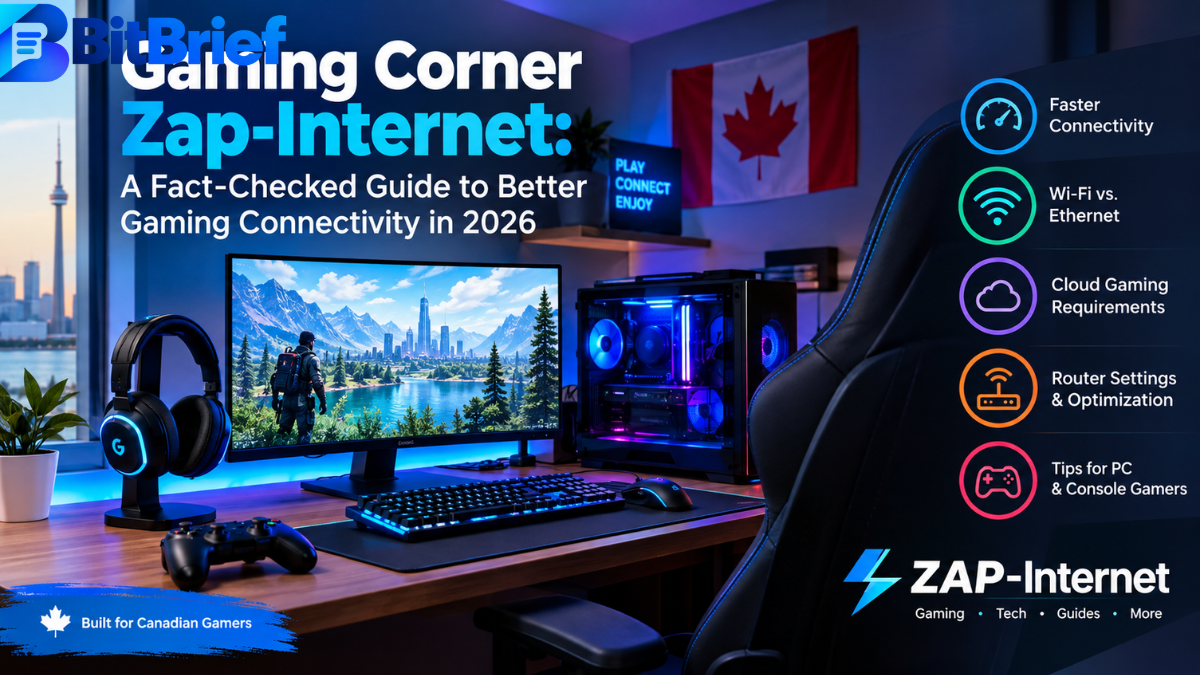
The practical concept is easier to understand. A gaming corner can consist of a gaming PC or console, monitor or television, headset, controller or keyboard and mouse, comfortable furniture, and a network connection capable of handling online play. The internet side of the setup involves factors such as latency, bandwidth, network congestion, Wi-Fi quality, Ethernet connectivity, and router performance.
In other words, the quality of a gaming corner is not determined by one specification.
A powerful gaming PC cannot eliminate internet latency. Likewise, a very fast internet package cannot compensate for a poor Wi-Fi signal, overloaded home network, faulty Ethernet cable, or distant game server.
For this reason, the most useful way to approach the term is as a gaming setup and connectivity concept, rather than assuming it is a standardized product category.
Why Internet Quality Matters for Gaming
Online games communicate continuously with remote servers. When you move a character, fire a weapon, interact with another player, or perform another network-dependent action, information must travel between your device and the game’s infrastructure.
The delay involved in that communication is commonly described as latency or ping. Lower latency generally means a more responsive connection, while unstable latency can produce noticeable delays, rubber-banding, or other interruptions.
Bandwidth is different. Bandwidth describes how much data a connection can transfer over a period of time. A high-bandwidth connection is useful for downloads, streaming, multiple connected devices, and cloud gaming, but bandwidth alone does not determine how responsive an online game feels.
This distinction is especially important in a Canadian household where several people may use the same connection. Someone downloading a large game update, another person watching high-resolution video, and a third person playing online can create competition for network resources.
The CRTC notes that the number of devices connected to a router can affect connection performance and that the type and condition of the connection can influence reliability and speed. Its broadband research also examines latency under load, which is particularly relevant to activities such as gaming and streaming.
Latency, Jitter, and Packet Loss
Three networking concepts deserve special attention when evaluating a gaming connection: latency, jitter, and packet loss.
Latency is the time required for data to travel between your device and a remote destination. Jitter refers to variation in latency over time. A connection that normally feels responsive but suddenly produces large latency fluctuations can be more frustrating than one with a consistently moderate delay.
Packet loss occurs when some data packets fail to reach their destination. In a game, this can contribute to missing updates, stuttering, disconnections, or other unpredictable behaviour.
These issues explain why a speed-test result should not be treated as the complete picture of gaming performance.
A connection advertising hundreds of megabits per second may still perform poorly for a competitive player if the network becomes unstable whenever the household is busy.
Gaming Corner Zap-Internet and the Canadian Home
Canadian gamers have access to several types of internet connections, and performance can vary significantly by location and provider.
The CRTC identifies fibre, cable, DSL, fixed wireless, satellite, and other forms of internet access in Canada. Fibre uses light to transmit data and can provide high speeds and substantial bandwidth, while other technologies have different characteristics and availability.
That means there is no single Canadian gaming-internet answer that works for everyone.
A player in a large urban centre may have access to fibre or cable service with several high-speed options. Someone in a rural or remote area may have fewer choices and may need to consider fixed wireless or satellite connectivity.
The gaming corner approach should therefore start with the connection that is realistically available at the player’s location.
A good setup does not necessarily require the fastest advertised package. It requires a connection that remains sufficiently stable when the gamer actually uses it.
Building a Better Gaming Corner
A physical gaming space can influence the reliability and usability of the entire setup.
The first consideration is the location of the router relative to the gaming device. If a console or PC is several rooms away from the router, walls and other obstacles can weaken wireless performance. A wired Ethernet connection avoids many of the variables associated with wireless transmission.
Cable management also matters. A clean setup makes it easier to identify problems with power, Ethernet, peripherals, and other equipment. It also reduces the chance of accidentally disconnecting equipment during a gaming session.
The display, chair, desk, keyboard, mouse, controller, and headset are primarily comfort and performance considerations rather than internet components. Nevertheless, they form part of the overall gaming corner because the objective is to create a reliable environment rather than simply buy faster broadband.
For serious multiplayer players, the network should be treated as another piece of gaming equipment.
Ethernet vs. Wi-Fi for Gaming
Ethernet remains an important option for gamers who want predictable connectivity.
A wired connection avoids many common wireless variables, including signal strength changes, interference, and congestion on wireless channels. This does not mean Wi-Fi is unsuitable for gaming. Modern wireless networking can provide excellent performance when the router and gaming device are positioned appropriately.
NVIDIA, for example, recommends a hardwired Ethernet connection or a 5 GHz Wi-Fi connection for GeForce NOW cloud gaming.
For a desktop gaming PC located close to the router, Ethernet is often the straightforward choice. For a console across the house, a good 5 GHz or newer Wi-Fi connection may be more convenient.
The key is to test the actual connection rather than assume that one technology will always perform better in every home.
How Much Internet Speed Does Gaming Need?
There is no universal speed number that defines a good gaming connection.
Traditional online multiplayer games may not require enormous bandwidth once the game has been installed. Large downloads and updates are different because they benefit directly from higher download speeds.
Cloud gaming has more demanding and continuous network requirements because the game is rendered remotely and streamed to the player’s device.
NVIDIA’s current GeForce NOW requirements illustrate the difference. Its published requirements include 15 Mbps for HD streaming at up to 60 FPS, 25 Mbps for Full HD at 60 FPS, and higher requirements for higher resolutions and frame rates. NVIDIA also requires less than 80 ms of latency to its data centres and recommends wired Ethernet or 5 GHz Wi-Fi.
These numbers should not be interpreted as a universal requirement for every game. They demonstrate that the appropriate connection depends on the type of gaming being performed.
For a household with several users, additional bandwidth can also reduce competition between gaming, video streaming, downloads, video calls, and other activities.
Speed Is Not the Same as Responsiveness
One of the biggest misunderstandings in gaming internet discussions is treating download speed as the same thing as gaming performance.
Imagine two connections.
The first has a very high download speed but experiences major latency increases whenever another household member starts a large download.
The second has a lower advertised speed but remains relatively stable during normal household use.
For competitive online gaming, the second connection may feel better.
Canadian broadband research has specifically examined latency under load, sometimes called bufferbloat. CRTC research shows that latency can increase substantially when a connection is busy downloading or uploading data. It also notes that technologies such as Smart Queue Management and Quality of Service can sometimes help manage traffic and reduce bottlenecks.
This is one of the strongest reasons not to judge a gaming internet connection solely by its speed-test download number.
Router Settings That Can Improve a Gaming Setup
The router is effectively the traffic manager inside a home network.
When several devices are active, router configuration can influence how traffic is handled. Quality of Service, commonly abbreviated as QoS, can allow certain traffic to receive priority. Smart Queue Management can also help address latency increases caused by busy connections.
These technologies are not magic solutions. If the underlying internet connection has poor routing, persistent congestion outside the home, or a weak physical connection, router settings cannot solve every problem.
However, they can be useful when the main issue occurs inside a busy household network.
A sensible troubleshooting process starts by identifying the problem. If gaming is smooth when everyone else is offline but becomes unstable when someone uploads or downloads heavily, congestion is a reasonable area to investigate.
If the problem occurs regardless of household activity, the cause could involve Wi-Fi conditions, the ISP connection, the game server, routing, hardware, or the game itself.
Gaming Corner Zap-Internet for PC Gamers
PC gaming gives players considerable flexibility when designing a gaming corner.
A desktop can usually be connected directly to a router with Ethernet. Players can also monitor network behaviour through operating-system tools and game-specific network indicators.
The PC itself should not be blamed for every online problem. A high-end graphics card can improve frame rate, but it cannot reduce network latency to a remote server.
This distinction between frame rate and network responsiveness is important. Frame rate is largely influenced by the computer’s hardware and graphics settings, while online responsiveness is influenced by the network path and server connection.
A well-designed PC gaming corner therefore addresses both sides: strong local hardware for rendering and a stable network for online communication.
Gaming Corner Zap-Internet for Console Players
Console gamers face many of the same network considerations.
A console connected over Ethernet can provide a stable link to the home router. Wi-Fi can also work well when the console has a strong signal and the wireless environment is not heavily congested.
Console players should pay particular attention to large game downloads and background updates. These activities can consume substantial bandwidth and may affect other devices in the home.
If a household frequently experiences lag while a console is downloading an update, network traffic management may be more useful than simply purchasing a much faster package.
Cloud Gaming Changes the Equation
Cloud gaming makes internet quality even more important.
Instead of rendering the entire game locally, cloud gaming services process the game remotely and transmit the resulting video stream to the player’s device. Player input then travels back to the service.
That creates a two-way responsiveness requirement.
NVIDIA’s GeForce NOW documentation demonstrates how network requirements increase with resolution and frame rate. Its current requirements range from 15 Mbps for HD at 60 FPS to substantially higher bandwidth for advanced high-resolution experiences, while the service also specifies latency requirements.
For Canadian players considering cloud gaming, this makes connection stability particularly important. A connection that is fine for ordinary browsing may not provide the same experience for interactive high-resolution streaming.
Gaming Accessories and the Wider Setup
Gaming accessories can improve comfort and control, but they should be purchased according to actual needs.
A good mouse can matter for PC shooters. A suitable controller can make console and certain PC games more comfortable. A quality headset can improve communication in multiplayer games.
However, accessories cannot compensate for a fundamentally unstable internet connection.
The same principle applies to expensive gaming routers. A premium router may provide useful features, but buying one should follow an actual networking need rather than the assumption that the word “gaming” on the box automatically means lower ping.
The most effective upgrades are usually the ones that address a clearly identified limitation.
Common Problems in a Gaming Corner
One of the most common problems is relying on Wi-Fi when Ethernet is easily available. Wireless can be excellent, but wired connectivity removes several potential sources of instability.
Another problem is placing the router in an enclosed cabinet, far corner, or location surrounded by obstacles. Router placement can influence wireless coverage.
A third problem is allowing background applications to consume network capacity during competitive sessions. Cloud backups, large downloads, system updates, and streaming can all compete for network resources.
A fourth problem is confusing local network issues with problems at the game-server level. If multiple players in the same region suddenly experience problems, the issue may not be inside your home.
Good troubleshooting therefore means changing one variable at a time and observing the result.
A Practical Gaming Corner Comparison
| Gaming requirement | What matters most | Practical approach |
| Competitive multiplayer | Stable latency and low jitter | Prefer Ethernet where practical |
| Casual online gaming | Stability and adequate bandwidth | Good Wi-Fi can be sufficient |
| Cloud gaming | Bandwidth plus latency and consistency | Follow the cloud provider’s requirements |
| Multiple gamers | Capacity and traffic management | Consider QoS/SQM and stronger networking |
| Large game downloads | Download bandwidth | Higher-speed service can reduce download time |
| Streaming while gaming | Upload and download stability | Test the connection under load |
| Rural gaming | Availability and reliability | Compare locally available technologies |
The table highlights an important principle: different gaming activities place different demands on a connection.
How to Test Your Gaming Internet
A useful test should go beyond asking, “How many megabits per second am I getting?”
Start by checking the connection when nobody else is using the network. Then repeat the test during normal household activity.
If performance deteriorates dramatically when another device begins downloading or uploading, the problem may involve latency under load rather than insufficient headline speed.
Next, compare Ethernet and Wi-Fi if both are available. If Ethernet is consistently more stable, the wireless environment may be contributing to the problem.
For cloud gaming, use the service’s own network diagnostics when available. NVIDIA, for example, specifies both bandwidth and latency requirements for GeForce NOW.
It is also useful to test at different times of day. Evening performance can reveal congestion that does not appear during quieter periods.
Is a Gaming-Focused Internet Plan Always Necessary?
No.
The phrase “gaming internet” can sound attractive, but the right question is whether the service actually solves a problem you have.
A gamer with stable Ethernet, low latency, adequate bandwidth, and no congestion may gain little from changing providers simply because another plan uses gaming-focused marketing.
Conversely, someone experiencing persistent evening congestion, unstable latency, or poor upload performance may have a legitimate reason to compare alternative services.
The best decision should be based on measurable performance, local availability, pricing, customer support, and contract terms rather than branding alone.
For Canadian consumers, location is especially important because internet technologies and available providers differ across communities.
What Makes a Good Gaming Corner in 2026?
A modern gaming corner should be thought of as a complete system.
The first layer is the gaming hardware: PC, console, display, controller, keyboard, mouse, and headset.
The second is the physical environment: desk position, seating, lighting, ventilation, cable organization, and accessibility.
The third is the network: router placement, Ethernet or reliable Wi-Fi, sufficient bandwidth, and appropriate traffic management.
The fourth is maintenance. Firmware, operating systems, game clients, drivers, and networking equipment should be kept reasonably current.
The goal is not to create the most expensive setup possible. It is to remove avoidable sources of poor performance.
My Opinion on Gaming Corner Zap-Internet
My view is that gaming corner zap-internet is more useful as a practical idea than as a technical label.
The phrase appears in connection with ZAP Internet’s gaming-focused publishing, but there is not enough reliable evidence to treat it as a universally defined networking technology or standardized gaming service. ZAP Internet’s own website clearly presents a Gaming Corner category and describes its broader mission around gaming, gadgets, smart-home technology, reviews, and guides.
The underlying idea, however, is sound: gaming performance depends on more than the gaming machine itself. Network stability, latency, congestion, Wi-Fi conditions, and router configuration can all influence the experience.
For Canadian gamers, I would prioritize measurable performance over marketing language. Before paying extra for a gaming-specific product, test the existing connection, compare Ethernet with Wi-Fi, observe performance during peak household use, and investigate latency under load.
That approach is more reliable than assuming that a faster advertised speed automatically produces better gameplay.
Frequently Asked Questions About Gaming Corner Zap-Internet
What is Gaming Corner Zap-Internet?
Gaming Corner Zap-Internet is best understood as a phrase associated with ZAP Internet’s gaming-focused content and the broader idea of combining a dedicated gaming space with reliable internet connectivity. It should not automatically be interpreted as a universally recognized technical standard.
Is Gaming Corner Zap-Internet a specific internet technology?
There is no reliable evidence that the phrase represents a universally standardized networking technology. Public information connects it to ZAP Internet’s Gaming Corner content, while the practical concept involves gaming hardware, network quality, and online gaming performance.
Does faster internet always mean better gaming?
No. Download speed is only one part of the experience. Latency, jitter, packet loss, network congestion, router performance, and the connection between the player and game server can also influence online gameplay. CRTC research demonstrates that latency can rise significantly when an internet connection is under load.
Is Ethernet better than Wi-Fi for gaming?
Ethernet is often preferred when a stable wired connection is practical because it avoids many wireless interference and signal-strength variables. However, modern Wi-Fi can perform very well. NVIDIA recommends either hardwired Ethernet or 5 GHz Wi-Fi for GeForce NOW.
How much internet speed does cloud gaming require?
Requirements vary by service, resolution, and frame rate. NVIDIA’s current GeForce NOW documentation lists 15 Mbps for HD streaming at up to 60 FPS and 25 Mbps for Full HD at 60 FPS, with higher requirements for higher-resolution experiences. NVIDIA also specifies a latency requirement to its data centres.
Conclusion
Gaming corner zap-internet is best approached as a gaming-and-connectivity concept rather than assuming it is a standardized internet technology. ZAP Internet has an identifiable Gaming Corner section focused on gaming-related content, while the practical principles behind a strong gaming corner are familiar: reliable hardware, sensible network configuration, stable connectivity, and an environment designed for comfortable play.
For Canadian gamers, the most important lesson is that internet quality cannot be reduced to one download-speed number. Latency, network congestion, Wi-Fi conditions, Ethernet connectivity, bandwidth, and the requirements of the game or cloud service all matter.
A smart upgrade strategy therefore starts with measurement. Test the existing connection, identify the actual bottleneck, and spend money on the component that addresses it. Sometimes that means Ethernet. Sometimes it means improving Wi-Fi. Sometimes QoS or traffic management can help. And sometimes the real solution is comparing available internet providers.
The strongest gaming corner zap-internet setup is ultimately not the one with the most expensive equipment. It is the one where the hardware, network, and physical gaming environment work together consistently and more.
